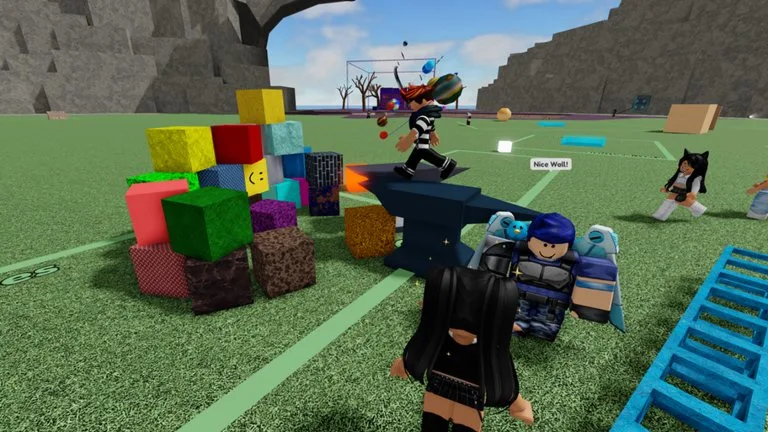
The Grab Line is the colored tether that attaches to an unanchored object or another player. Four jobs stay separate: grab or drop, throw, distance, and rotation. Mixing them on the first try makes it impossible to see which input missed.
PC inputs that several charts share
| Action | Input | Use |
|---|---|---|
| Grab or drop | Left click | Attach the line, or place the target without a powered throw. |
| Throw | Right click while holding | Release with the direction of your swing. |
| Distance | Mouse wheel | Pull a small prop in, or give a large prop clearance. |
| Rotate | R, then mouse movement | Turn a pallet or furniture before you drop it. |
Movement and jump use your normal Roblox bindings. Published PC charts do not agree on Shift: some call it run, some call it crouch, and some assign crouch to Ctrl. Use the prompt in your session instead of memorizing one of those charts.
Some charts also say right click can hold food, with another click to eat. If your client shows a food prompt, follow that prompt. Do not assume throw and food are the same button on every device.
Reach
The official Farther Reach description says the pass lets you grab from 30 studs away instead of 20, and that it changes how the Grab Line looks. If a target will not attach, walk closer before you blame the mouse. Anchored scenery does not behave like a loose toy.
Community charts describe the wheel range as about 2 to 20 studs, or 2 to 30 with the pass. The minimum is a community figure. The 20 and 30 stud ceilings are the official wording.
Mobile and controller
On mobile, tap the contextual grab control, use the on-screen throw control, and use whatever distance and rotation buttons the current touch layout shows. Button art moves with screen size. Close the Toy menu if it covers the Grab Line controls.
One community tip for phones is to set the object on the ground, then release, when a standing throw feels short. Test that in open space.
A May 2026 PlayStation walkthrough describes R2 as the fling input and also uses the right stick while aiming. Options is described there for voice chat, and the corner menu for the player list, reporting, and respawn. A viewer comment, not the narration, says Circle rotates objects. Confirm rotation against the button prompt on your client.
A five-minute drill
- Grab a small loose object and drop it on the same spot three times.
- Change distance without hitting your avatar.
- Rotate it a quarter turn and set it down flat.
- Throw it gently at open ground.
- Repeat with a larger object and notice the extra collision.
- Change only one input when a try fails.
When the line misbehaves
If you grab the wrong target, move closer and aim at a clear part of the object. If the target barely moves, test a smaller loose prop. The first target may be anchored, blocked, or owned by laggy physics.
If right click moves the camera instead of throwing, confirm the line is attached and that a mouse-lock or camera mode is not eating the button. Close other menus and try again.
Public servers are shared. Practice throws on props before you repeatedly throw someone who is building or learning.